Travel planner for iPhone

Every trip.One place.

Plan the route, ask AI where to go and pack without forgetting a thing. Then keep every place you visited with photos and your own words.

Free to start. Premium when you need more.

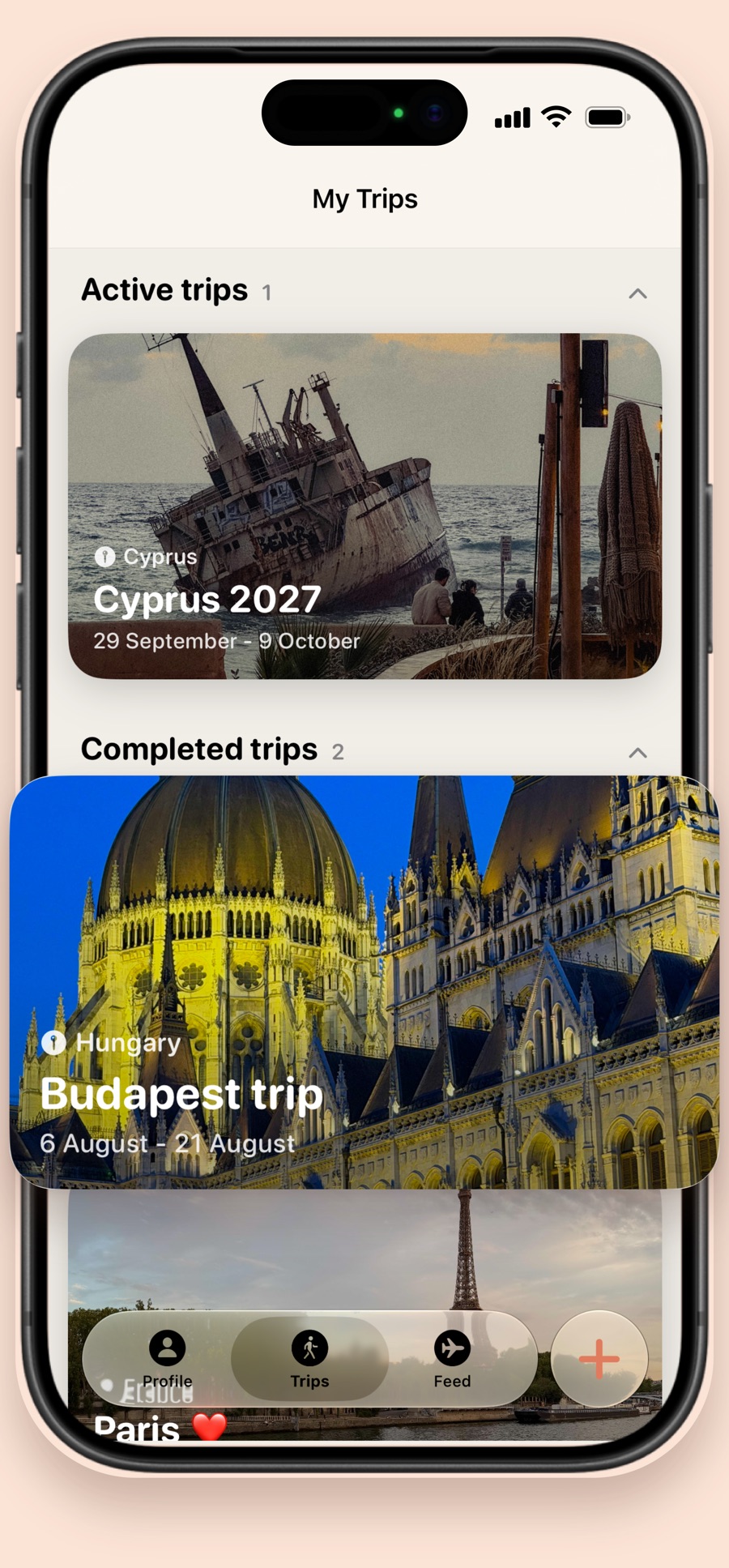
Travelino on iPhone: the My Trips screen with trips to Cyprus, Budapest and Paris

Stage 1

Before you go

Plan it on the map

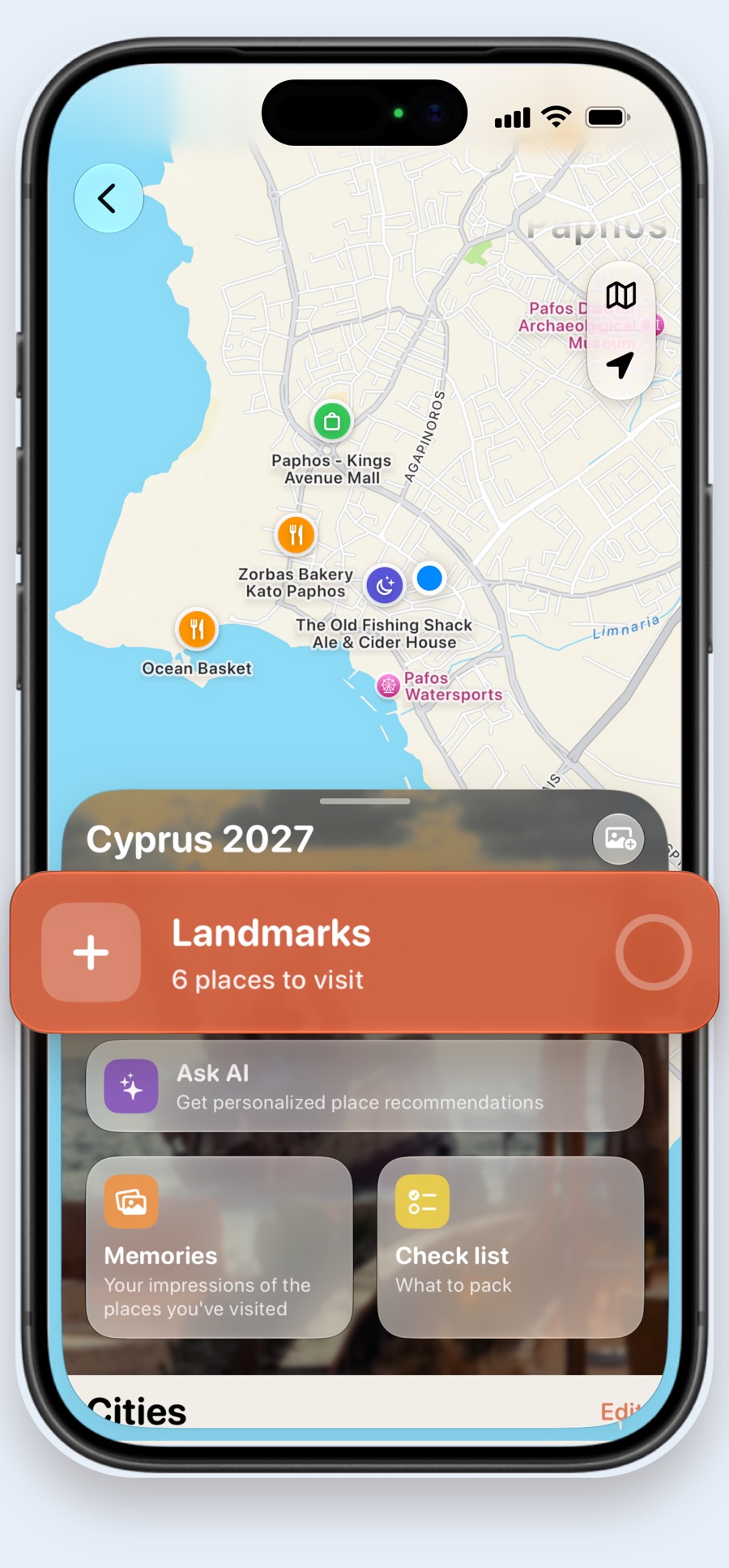
Add the cities of your trip and pin landmarks, restaurants, shops and sights. You see what's nearby, what's next and how many places are still waiting for you.

  • Cities, landmarks and cafés on one map
  • Mark places as visited as you go
  • Open any place in Apple Maps or Google Maps
A trip map of Paphos with restaurants and a mall pinned, and a Landmarks card with 6 places to visit

Ask AI where to go

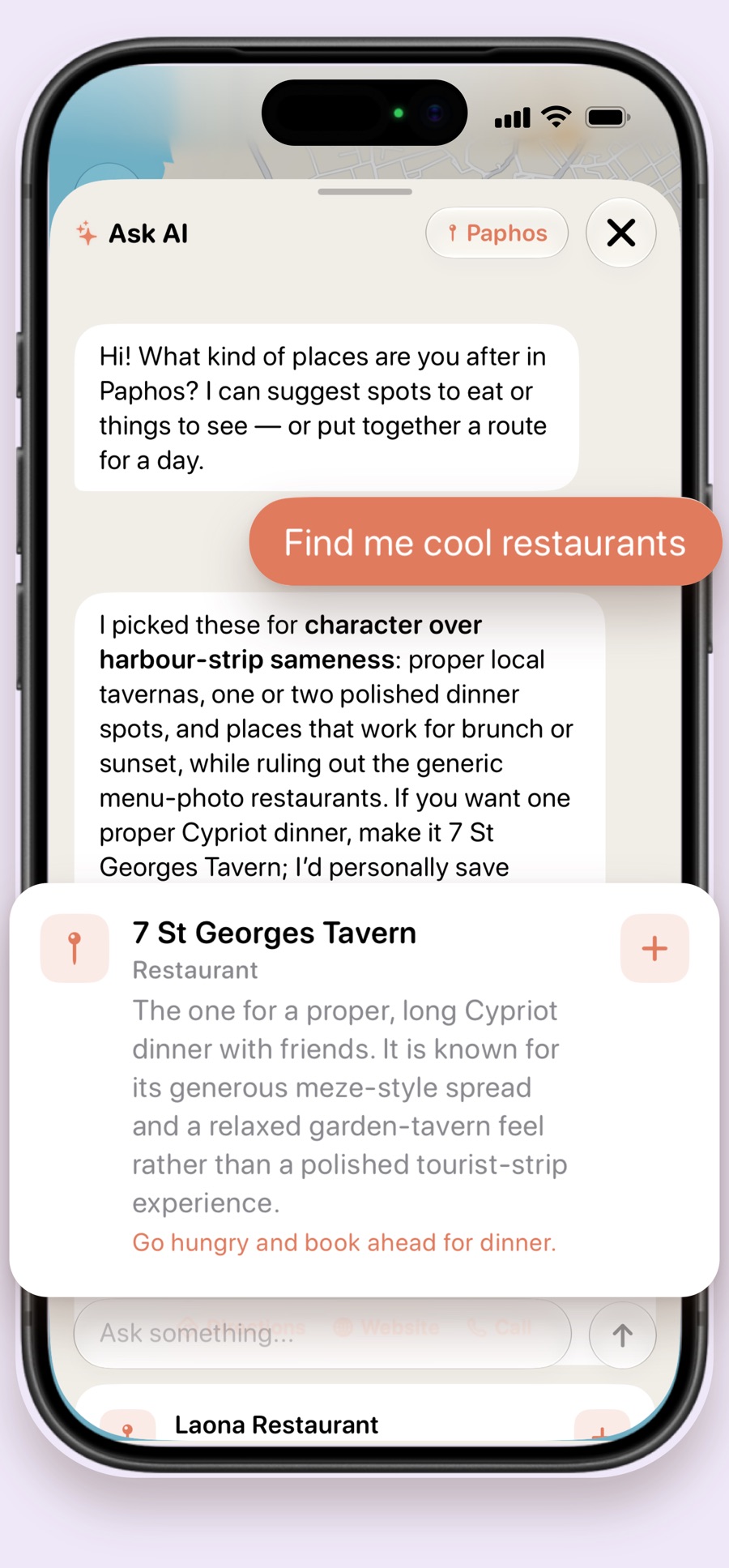
Ask the way you'd ask a friend who lives there. Travelino AI suggests where to eat, what to see or a route for the day, and you add any place to your trip in one tap.

  • Picks for food, sights and a route for the day
  • An opinion on each place, not a list of links
  • One tap to add a place to your trip
Travelino AI chat: asked for cool restaurants in Paphos, it recommends 7 St Georges Tavern with a short review

Never forget a thing

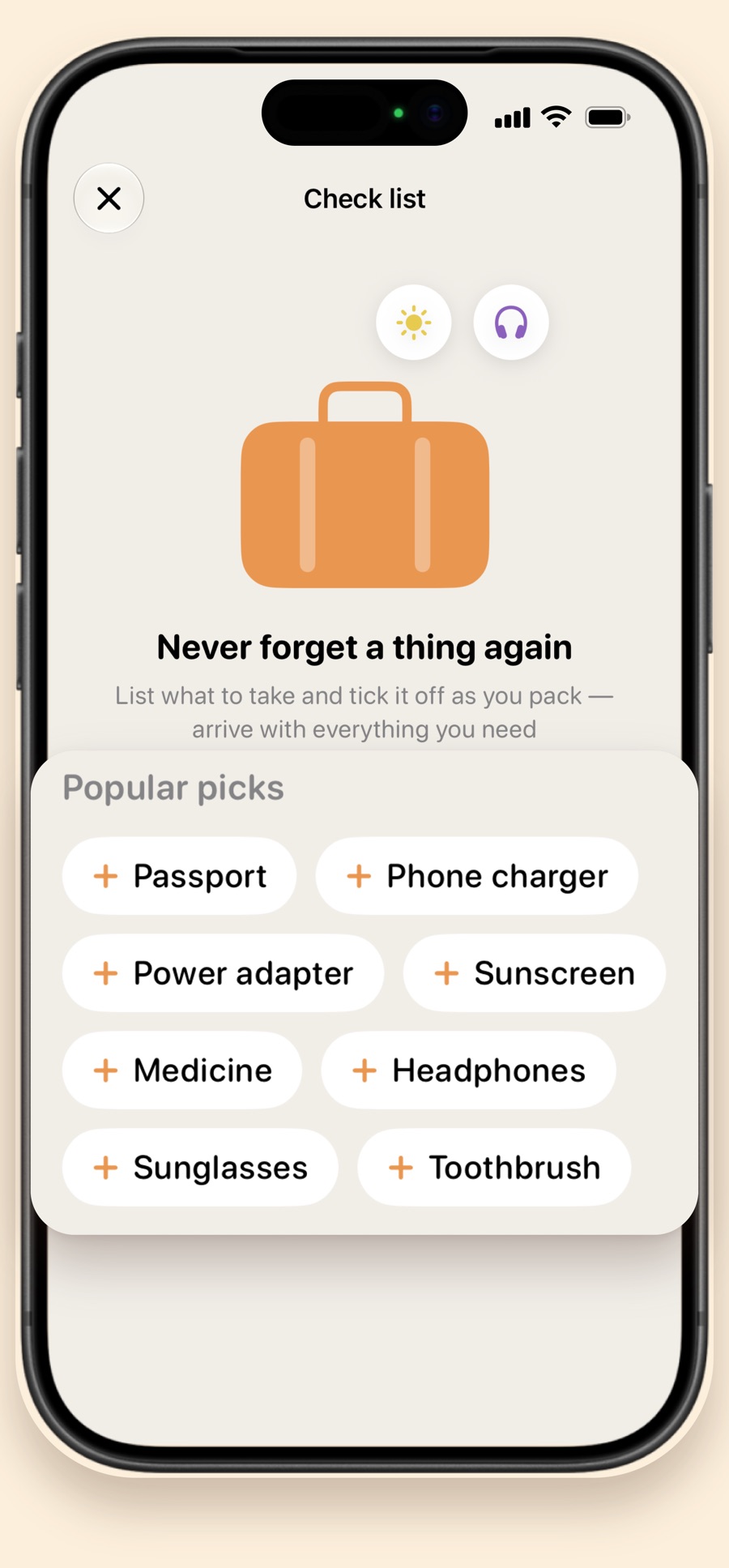
Every trip gets its own packing list, with popular picks like a passport, a charger and sunscreen. Tick things off as you pack and arrive with everything you need.

  • Popular picks added in one tap
  • A separate list for every trip
A packing list with popular picks: passport, phone charger, power adapter, sunscreen, medicine, headphones

Stage 2

On the road

Remember every place

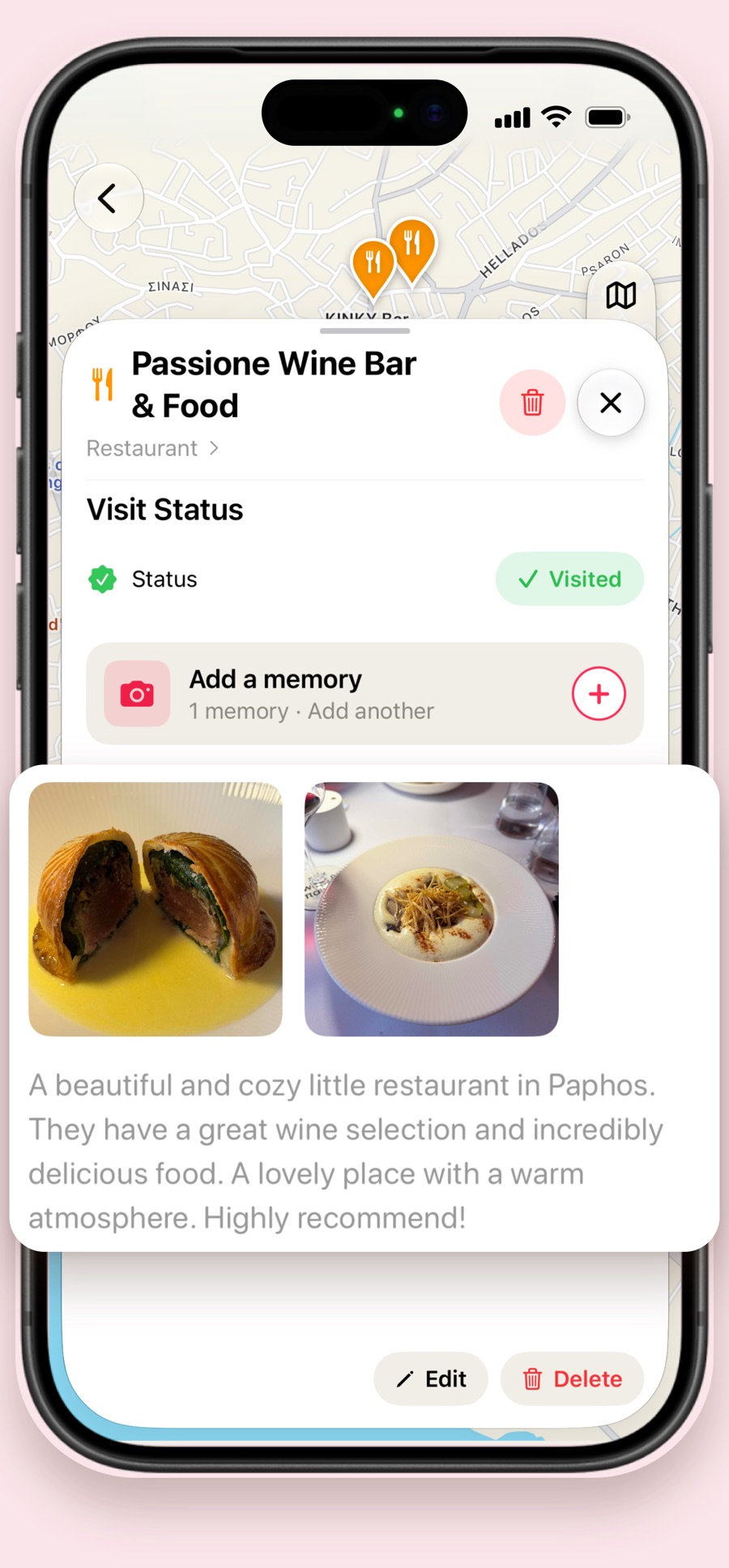
When you visit a place, add photos and a few words about it. Photos bring their own date and location, so each memory stays exactly where it happened.

  • Photos and notes for every place you visit
  • Date and place taken from the photo itself
  • Visited places marked on your map
A memory of Passione Wine Bar in Paphos: two photos of dishes and a short review

Stage 3

Back home

Your travel diary

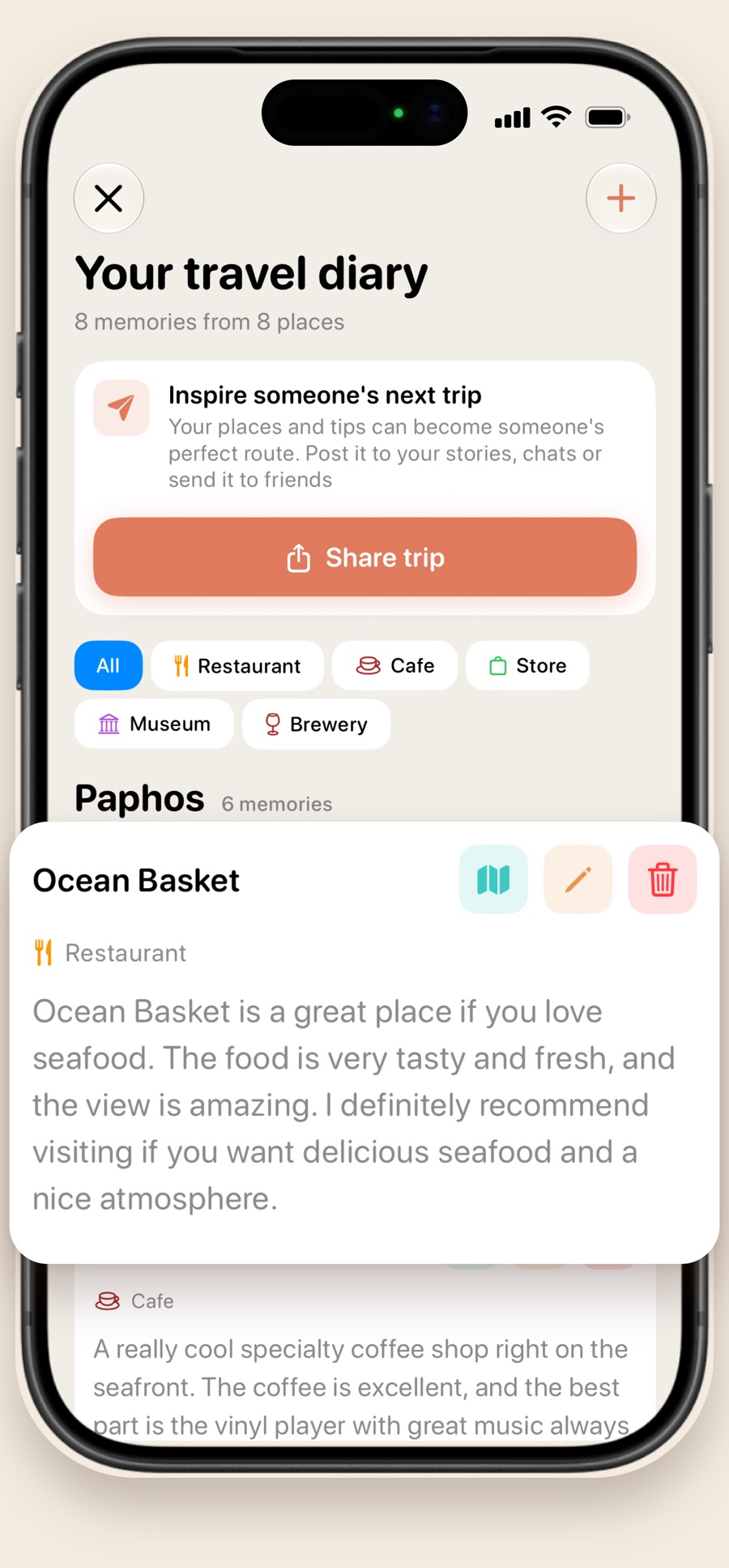
All your memories in one diary, grouped by city. Read them again, filter them by restaurants, cafés or museums, and use them to plan the next trip.

  • Memories grouped by city
  • Filters by restaurants, cafés, museums and more
Your travel diary: 8 memories from 8 places, with a memory of Ocean Basket in Paphos

Share it with the world

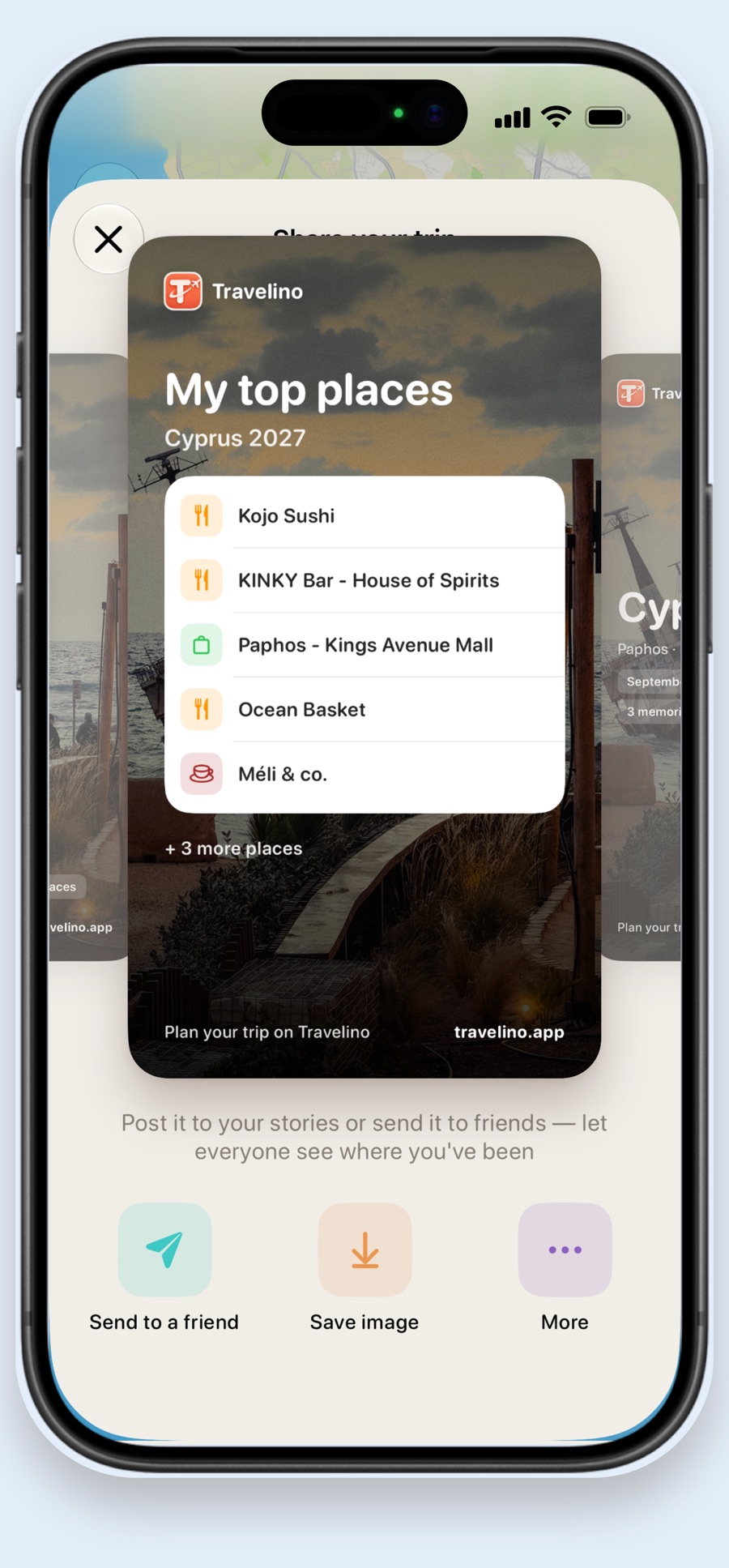
Turn your trip into a card for your stories or send it to friends. Publish it to the feed, where other travelers can read it and save your places for their own trips.

  • Story cards with your top places
  • Publish your trip to the feed
  • Read other travelers' trips before your own
Share your trip: a story card with my top places from Cyprus 2027

All in one app

Everything for your trip, in one app

No more notes, screenshots and twenty browser tabs.

Trips and map

Cities and places on one map

Travelino AI

Where to eat and what to see

Packing list

Tick it off as you pack

Memories

Photos and notes for every place

Travel diary

Every place you've been

Share

With friends or the whole world

Pricing

Start free. Go Premium when you're ready.

Free

$0

  • One trip
  • Map with landmarks and places
  • Packing list
7 days free

Travelino Premium

  • Unlimited trips
  • Travelino AI
  • Memories with photos
  • Publish and share your trips
Monthly
7-day free trial, cancel anytime
$2.99 / month
Yearly
Just $2.08 a month
$24.99 / year
Lifetime
Pay once, yours forever
$49.99

Prices in US dollars. Your local price is shown in the App Store before you pay.

FAQ

Questions, answered

Is Travelino free?

Yes. You can plan one trip for free, with its map, places and packing list. Premium adds unlimited trips, Travelino AI, memories with photos and publishing.

Which devices does it work on?

Travelino is an iPhone app and needs iOS 18.6 or later.

Who can see my trips?

Only you, until you publish a trip. A published trip appears in the feed, where other travelers can read it. You can unpublish it at any time, and your memories stay in the trip.

How does Travelino AI work?

Travelino AI is powered by OpenAI. It gets your question, the chat and the city you're asking about, and nothing else from your account. Check opening hours and details before you go, since suggestions can be out of date.

How do I cancel Premium?

Subscriptions are managed by Apple. On your iPhone, open Settings, tap your name, then Subscriptions, and cancel Travelino. Premium stays active until the end of the period you paid for.

How do I delete my account?

In the app, open Settings and tap Delete account. This removes your profile and your trips. See the Privacy Policy for details.

How do I contact you?

Write to travelitoivan@gmail.com. We read every message.

Your next trip starts here

Travelino is coming to the App Store soon.

Coming soon tothe App Store